
AI interview assistants listen to a question and suggest an answer while you are still on the call. On a Mac, the options differ more than their landing pages suggest: some need an Apple Silicon chip, some lock screen-share hiding behind a premium tier, and some do not offer live help on the free plan at all.
Disclosure: CamCue is our product. We compared the other tools using their public pricing pages, checked on October 9, 2026. Prices and plans change often, so confirm them on each vendor’s site before you subscribe.
Quick comparison
| Tool | Best for | Platforms | Free plan | Paid plans |
|---|---|---|---|---|
| CamCue | Live answers based on your CV and the job | Apple Silicon Mac, Windows | Limited credits | US$9 per 3 days, US$19 per week, US$69 per month |
| Cluely | Live answers plus meeting notes | Mac, iOS | Limited responses | US$19.99/mo Pro; US$149.99/mo with screen-share hiding |
| Final Round AI | Live copilot bundled with interview prep | macOS 14.4+, Windows | No live copilot | Pro from US$25/mo with longer billing |
| LockedIn AI | Credit-based or unlimited live help | Desktop, web, mobile | Varies | Unlimited, Credits, and Lifetime plans |
| Hedy | Affordable meeting coaching | Mac, Windows, iOS, Android, web | 5 hours/month | US$12.99/mo or US$99.99/yr |
How we compared them
We focused on what matters during a real interview on a Mac:
- Mac support: which Macs and macOS versions are supported.
- Context: whether answers can use your CV, the job description, and your own notes.
- Inputs: spoken questions, on-screen questions, or both.
- Screen sharing: whether the tool can stay out of a shared screen, and what that costs.
- Privacy: where audio is processed and what is sent to the cloud.
- Price: the real cost for the period you actually need.
CamCue
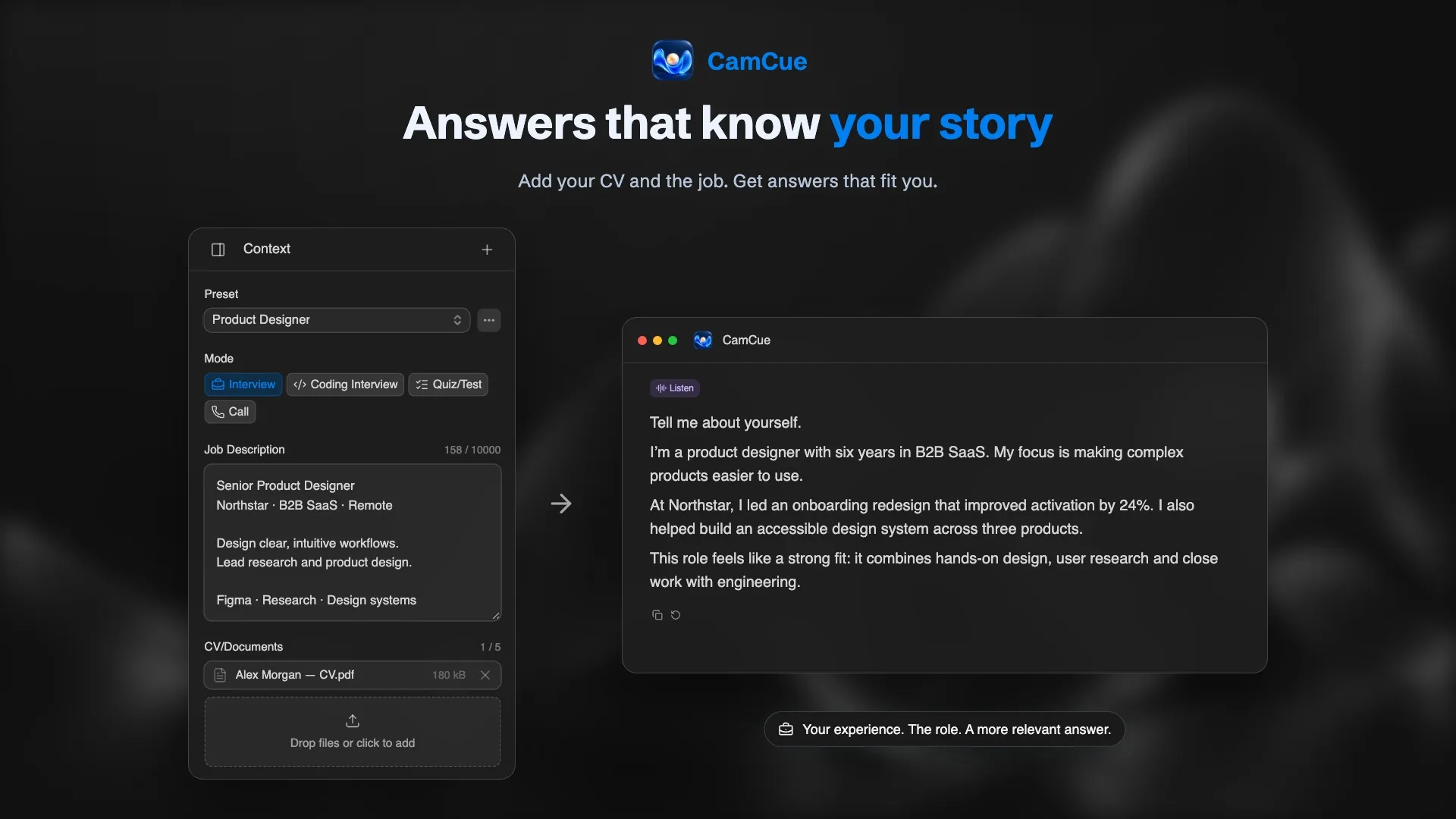
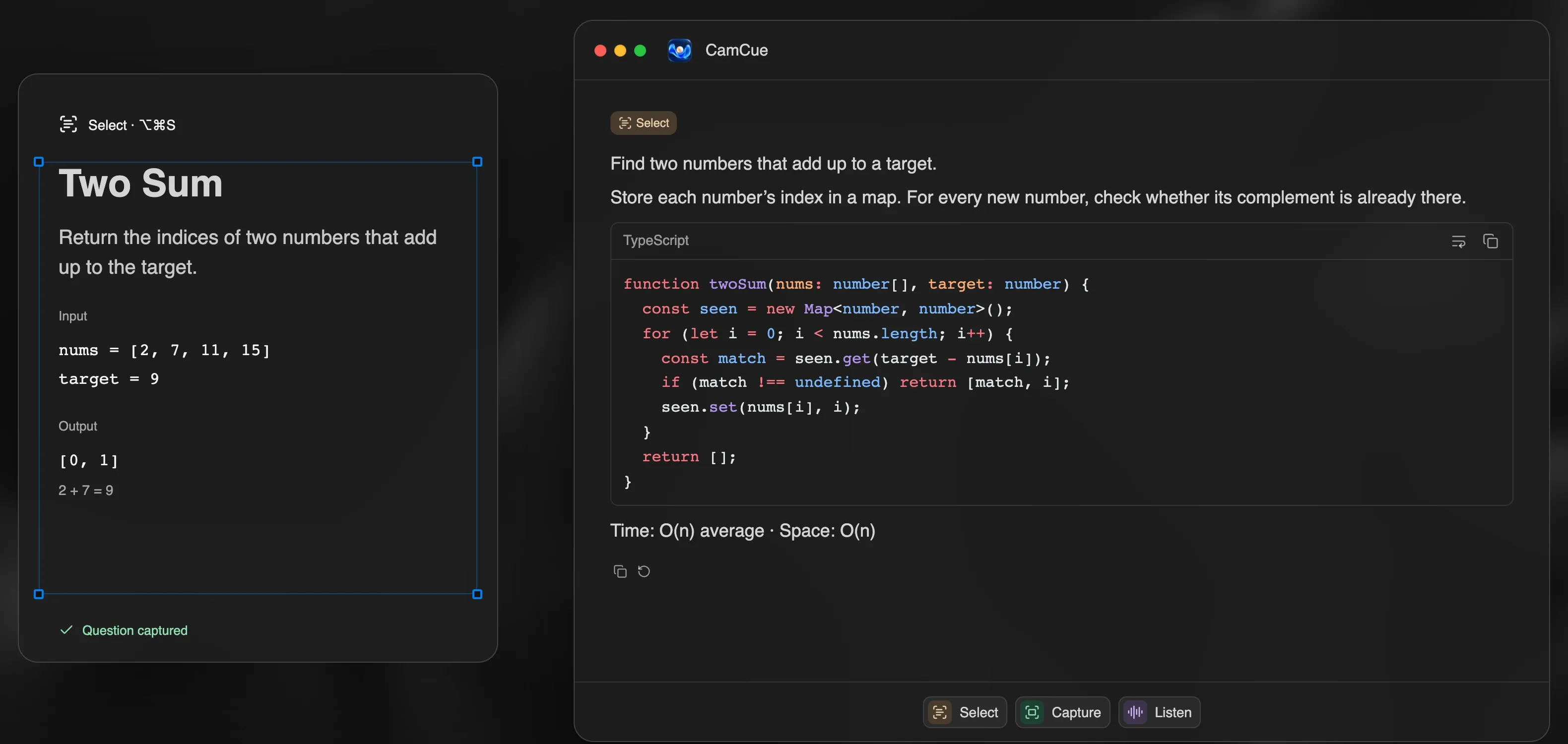
CamCue is a desktop app for interviews, coding questions, and calls. Listen transcribes the interviewer and your microphone on your Mac and drafts an answer when it detects a complete question. Capture analyzes the whole screen, and Select focuses on one area, which is useful for coding problems and written questions.
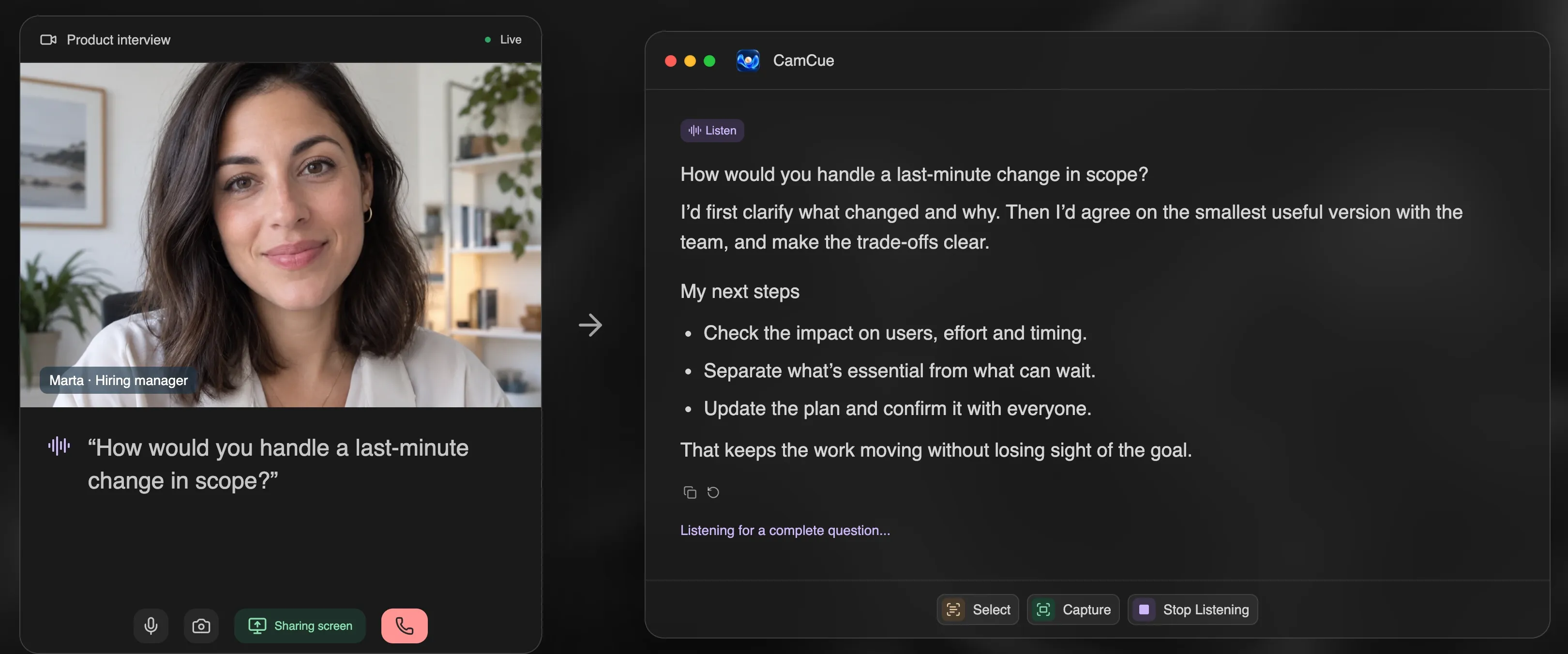
Answers are shaped by the CV, job description, and documents you add. You can save each setup as a preset and switch between Interview, Coding Interview, Quiz/Test, and Call modes. Speech recognition runs locally after a one-time model download, and raw audio is not saved or uploaded. Stealth asks supported capture apps to exclude the CamCue window and is included in every plan.
- Strengths: CV and job context, local speech recognition, a built-in practice demo, short billing periods for a single week of interviews.
- Limitations: requires Apple Silicon (M1 or later) and macOS 14.2+; no Intel Mac build; no mobile app.
Cluely
Cluely combines live AI answers with meeting notes. Its pricing page lists a free Starter plan with limited AI responses, limited notetaking, and up to three file uploads. Pro costs US$19.99 per month and removes the response limits. Hiding the app from screen sharing requires Pro + Undetectability at US$149.99 per month. The site links to a Mac download and an iOS app.
- Strengths: notes and answers in one tool, an iOS app.
- Limitations: screen-share hiding costs much more than the base plan.
Final Round AI
Final Round AI bundles a live Interview Copilot with interview preparation tools. According to its pricing page, the free plan covers preparation features such as job description parsing, but live copilot sessions require Pro, advertised from US$25 per month, with lower effective prices on longer billing periods. The desktop app supports macOS 14.4 or later and Windows.
- Strengths: prep and live help in one subscription.
- Limitations: no free live sessions; the headline price depends on a longer commitment.
LockedIn AI
LockedIn AI offers Unlimited, Credits, and Lifetime plans, with separate general and professional options. It has a desktop app, web tools such as a coding assistant, and a mobile app. Its pricing changes frequently and often runs promotions, so compare the checkout total for the period you need.
- Strengths: several billing models, including credits that do not expire.
- Limitations: prices are harder to compare at a glance.
Hedy
Hedy is a real-time meeting coach rather than an interview copilot. The free plan includes up to five hours per month, with real-time insights for the first 30 minutes of each session. Pro costs US$12.99 per month, US$99.99 per year, or US$299 once. It runs on iPhone, iPad, Mac, Windows, Apple Watch, Android, and the web.
- Strengths: low price, broad platform support, notes and summaries.
- Limitations: built for coaching and notes more than drafting interview answers from your CV.
Which one should you choose?
- You want answers that sound like your own experience: choose a tool that uses your CV and the job description, such as CamCue.
- You have interviews this week only: short billing periods, such as CamCue’s 3-day or weekly PRO, usually cost less than a monthly plan.
- You share your screen in interviews: check whether screen-share hiding is included or a premium add-on, then test what others see before the call.
- You mainly want notes and coaching: Hedy or Cluely may fit better.
- You prepare for technical rounds: look for on-screen capture and code formatting, as in CamCue’s Coding Interview mode.
A note on fairness
Live AI help is not allowed in every interview. Many companies forbid it in assessments, while others accept AI as part of everyday work. Read the rules for each interview, use these tools to prepare, and never present experience you do not have.